
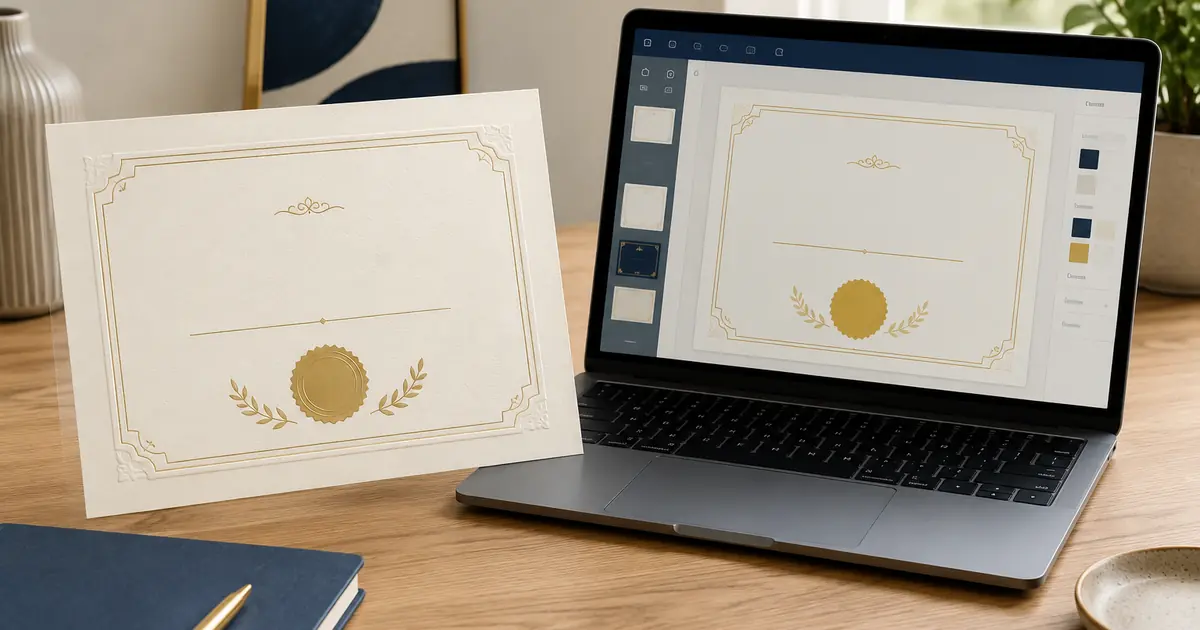
A custom novelty certificate can be ordered as a finished printed piece or created from an editable template that you personalize and print yourself. Neither format is automatically better. A professionally printed certificate is usually the stronger choice when paper, finishing, presentation, and a polished physical result matter. An editable template is often more practical when you need immediate access, expect to change many names, or want to control local printing.
The real decision is who will handle the design, proofreading, printing, finishing, and late changes. With a finished print, more responsibility stays with the seller; with an editable file, more moves to you. This guide compares personalization, materials, proofing, delivery, quantity, and appropriate use so you can decide before buying. You can also visit THEGRADORA to see the wider range of personalized document-style designs.
What Is a Custom Novelty Certificate?
A custom novelty certificate is a personalized, certificate-inspired design made for decorative, commemorative, entertainment, or private recognition purposes. It can mark a genuine personal milestone, add a ceremonial touch to an event, become part of a gift, appear as a prop, or preserve a memory in a frame or album.
The word “custom” matters. Instead of receiving a generic sheet with a blank line, you may be able to change the recipient’s name, certificate title, descriptive wording, organization or group name, date, colors, border, typography, signature labels, and decorative emblem. The available choices depend on whether you are buying an editable template or commissioning a finished printed novelty certificate.
The word “novelty” matters just as much. It tells you that the item is not an official academic record, government document, professional license, identity document, or independently verified credential. A good seller makes that distinction obvious instead of hiding it in fine print.
A certificate can carry personal meaning without official authority. Family awards, volunteer thanks, theatrical props, humorous gifts, and private milestone displays can all be thoughtful when the wording is honest about what happened and who is presenting it.
Printed Novelty Certificate vs Editable Template: The Core Difference
A printed novelty certificate is a completed physical product. You submit the details, review a proof when that service is included, approve the layout, and the seller prints and finishes the piece before shipping it. Depending on the provider, the finished result may include heavyweight paper, metallic foil, a decorative seal, embossing, special sizing, protective packaging, or a presentation cover.
An editable template is a digital starting point. You open it in the required software or browser-based editor, replace the sample wording, adjust permitted design elements, export the file, and either print it at home or send it to a local print shop. Some templates offer broad control; others allow only a few text fields. “Editable” should never be assumed to mean that every font, graphic, border, color, or page dimension can be changed.
Think of the difference in terms of responsibility:
- With a finished print, the provider usually controls layout setup, print preparation, paper compatibility, finishing, trimming, and packaging.
- With an editable template, you control text entry, export settings, printer choice, paper purchase, color output, trimming, and reprints.
A middle option is a personalized digital file that you print locally. Before ordering, confirm whether “digital” means a reusable template, a non-editable final PDF, or only a proof of a physical order.
When a Finished Printed Certificate Makes More Sense
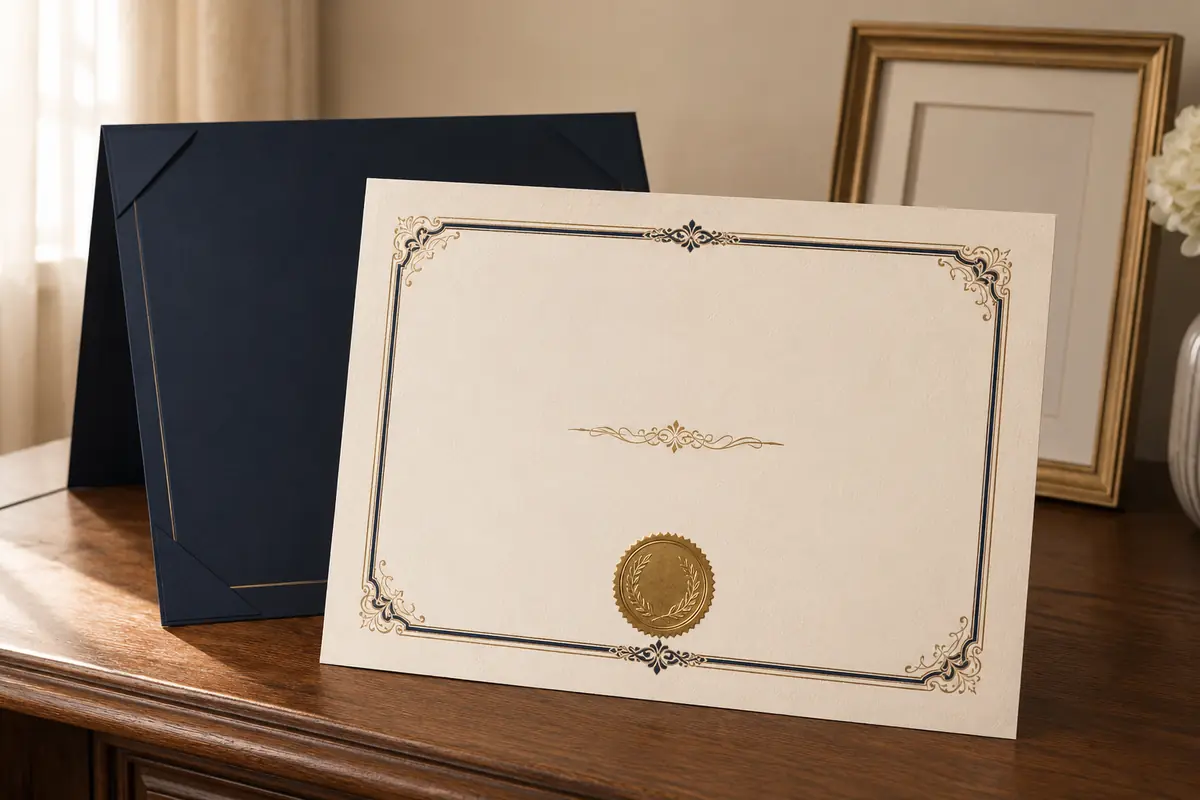
Choose a professionally produced certificate when the physical object is the point of the purchase. If it will be handed to someone, framed in a visible place, photographed at an event, or given as a planned gift, paper feel and finishing become part of the experience.
You Want a Display-Ready Result
A screen preview can show spacing, wording, and approximate color, but it cannot reproduce paper texture, stiffness, metallic reflection, or raised detail. A finished print also removes the need to source compatible stock, test printer settings, and trim the page square.
The Certificate Is a Gift
For a retirement dinner, anniversary, birthday, family celebration, or personal milestone, a ready-to-present physical piece feels different from receiving a link. Personalization matters more than ornament: the right name, date, and message usually mean more than adding every available finish. Browse the custom certificate designs before choosing production options.
You Want Foil, a Decorative Seal, or Embossing
Metallic effects displayed on a monitor are not the same as actual foil. A gold-colored gradient printed with standard ink can suggest metal, but it will not reflect light like foil. Embossing is also physical: it reshapes the paper to create a raised or recessed impression.
These finishes require compatible artwork, paper, equipment, and quality control. If tactile detail is central to the design, professional production is generally more dependable. The guide to paper, foil, seals, and embossing explains the combinations in more detail.
You Do Not Want to Manage Print Variables
Printers, monitors, paper, and software settings vary. Even a good file can produce unexpected margins, color shifts, soft fine lines, or substituted type. Adobe’s guidance on embedding fonts in PDF files explains why embedded fonts help preserve the intended appearance across systems. A finished-product provider handles those variables as part of production.
When an Editable Certificate Template Makes More Sense
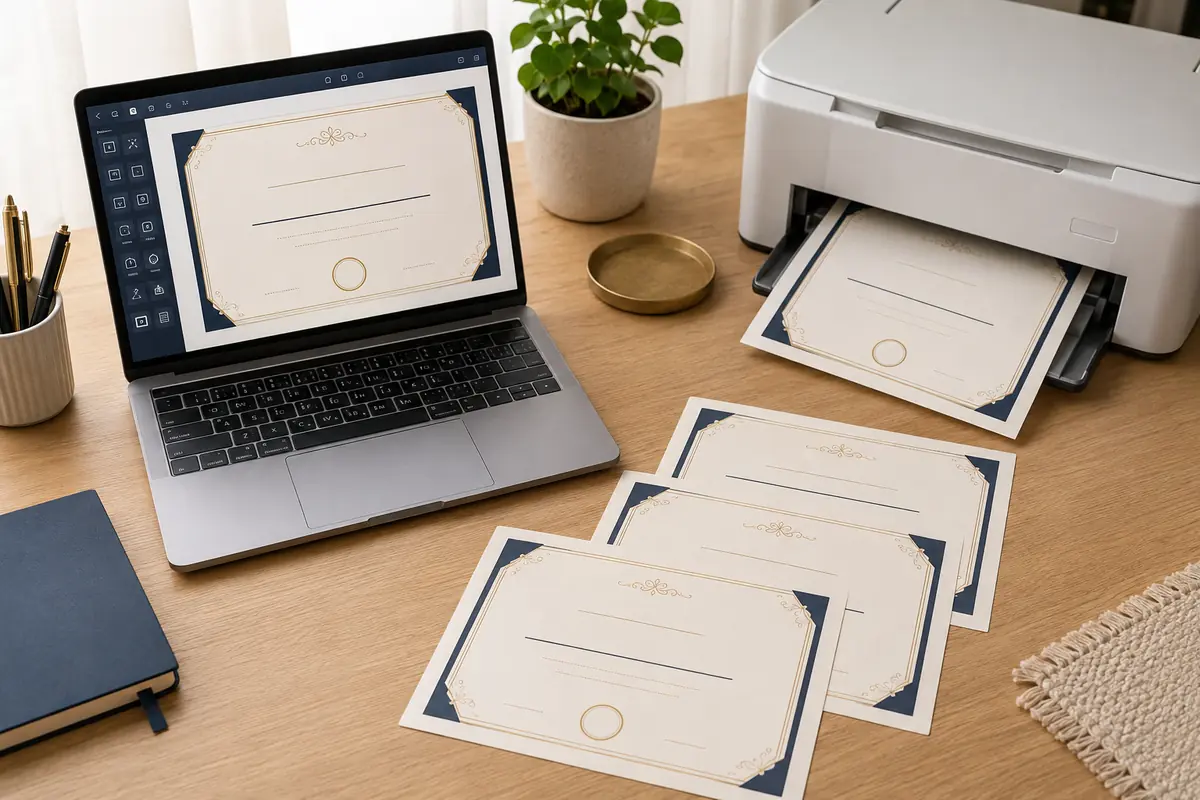
An editable template is useful when flexibility matters more than premium physical finishing. It can be a sensible option for a casual event, a recurring private activity, a classroom-style celebration that does not imply recognized credit, a family game, or a production team that needs multiple prop versions.
You Need It Immediately
A download avoids production and shipping time. If an event is tomorrow and you have access to a suitable printer, a template may be the only realistic option. Just leave enough time for a test print. “Instant download” describes access to the file, not the time needed to personalize, proofread, print, troubleshoot, and trim it.
You Need to Change Many Names
For an event with a changing participant list, a reusable template may be easier than placing separate one-off orders. You can duplicate the page, enter each name, and print the quantity you need. This is especially helpful when the wording and design stay consistent while only a few fields change.
Check the license before assuming unlimited use. Some sellers allow personal use only or limit copies to one event. Confirm whether you may send the file to a print shop; buying a download does not transfer copyright or unrestricted redistribution rights.
You Want Local Control Over Printing
A template lets you choose the printer, paper, timing, and quantity, but quality depends on your setup. Confirm the page size, safe margins, bleed, image resolution, and paper weight. Canva’s print guidance recommends a print-ready export with correct dimensions and bleed or crop marks when artwork runs to the edge.
You Expect Future Wording Changes
A genuinely editable file lets you update dates, names, categories, or messages later. Test the exact fields first: some PDFs allow text entry but not layout changes, and some browser templates require an account or paid assets.
Appropriate Uses for Each Format
The safest way to choose is to start with the real occasion. The format should support that use, not make the item appear to carry authority it does not have.
Framing and Home Display
A printed certificate usually works best for long-term wall display because paper and finish can be selected together. A template can also look good when professionally printed. For either option, avoid direct sunlight and unstable heat or moisture. The U.S. National Archives guidance for family papers explains how environment affects deterioration.
Personal Gifts
A personalized novelty certificate can turn an inside joke, family tradition, or genuine milestone into something tangible. Printed versions feel more complete at presentation; templates suit informal or handmade gifts. Use honest wording such as “Family Trivia Champion” or “Twenty Years of Volunteer Service,” and never name a real authority or third party as the issuer without permission.
Events and Group Recognition
For a small formal event, matched prints offer consistent color, paper, and finish. For a casual event with late changes, a template provides flexibility. In either case, describe the recognition truthfully; a private workshop may acknowledge participation but should not imply accreditation, licensing, or third-party approval.
Theater, Film, Photography, and Creative Props
Templates suit rehearsals because fictional details can change. Finished prints work better for close-ups or photography where texture matters. Use fictional institutions, original seals, and cleared artwork rather than real logos, signatures, serial numbers, or exact document designs.
Personal Memory Projects
A certificate can record a family milestone, hobby accomplishment, club memory, travel challenge, or recovery goal. A custom border, family emblem, short message, and meaningful date often feel more personal than imitating an institution.
What Can Be Personalized?
Most certificate designs are built from the same group of decisions. The difference is how much control the seller gives you and who makes the changes.
Text and Names
The recipient’s name is usually the visual center. Confirm capitalization, middle names, suffixes, diacritics, and the exact order of family and given names. Do not rely on the designer to guess whether “Jr.” needs a comma or whether a professional title belongs on the page.
Other editable text may include the certificate title, achievement description, presenter or organization name, date, location, short dedication, signature labels, and a small footer. Keep the wording proportionate to the page. Trying to fit a full speech into a certificate usually creates cramped type and weak hierarchy.
Dates
Decide whether the date marks completion, presentation, or the event. Use a consistent written style when the certificate may be read across countries.
Colors
Color can connect the design to an event, family theme, production palette, or room. Start with one dominant color and a restrained accent. Screen colors may shift in print, so treat a digital proof as an approximation of physical output.
Borders and Decorative Elements
Geometric borders feel modern, fine ornament feels traditional, and illustrated borders feel casual. Leave safe inner space for trimming. Any decorative seal should be original and must not suggest accreditation, licensing, government approval, or institutional verification.
Layout and Page Size
Portrait layouts suit narrow frames; landscape layouts provide more width for long names. US Letter and A4 are not interchangeable. A commissioned design can be rebalanced around your text, while a template may require you to resize or move elements.
Paper, Foil, Decorative Seals, and Embossing
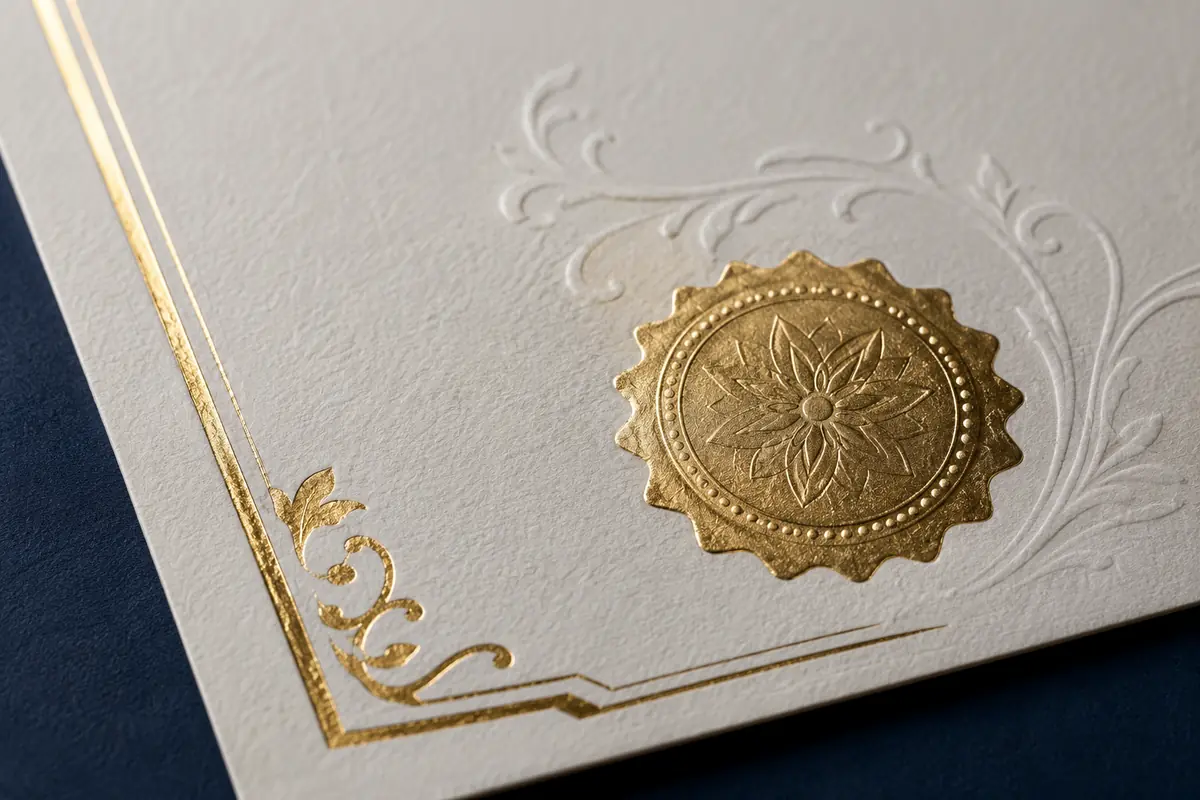
These features apply mainly to physical production, and they are a major reason buyers choose a printed certificate over a download.
Paper
Smooth white stock supports crisp type and brighter color. Ivory feels warmer; parchment-style stock looks aged but can compete with fine lines; cotton paper feels refined. Do not judge by weight alone: stiff or textured stock may feed poorly or soften small text, and gloss can glare under glass.
Foil
Foil is reflective material applied to selected areas. Gold looks warmer; silver feels cooler. A little usually works better than several competing metallic elements. A template may show a gold-colored graphic, but an ordinary printer reproduces it with ink or toner, not real foil.
Decorative Seals
A seal may be printed, applied as foil, or pressed into the paper. Printed seals support fine detail; applied seals add shine and dimension. It remains decorative and does not certify the wording or turn a novelty item into an issued credential.
Embossing
Embossing raises the paper; blind embossing uses no color, foil embossing adds metal, and debossing presses inward. A preview can show placement but not depth or reflected light. Ask whether the impression may show on the reverse and whether the paper supports fine detail.
Proofing, Revisions, Production, and Shipping
The process is where the two buying models diverge most sharply. Before paying, understand which steps are included and which ones become your responsibility.
How a Finished Printed Order Usually Works
- Choose a design. Select a layout that matches the occasion and intended display.
- Submit personalization. Provide names, wording, dates, colors, size, and finish preferences.
- Review the proof. Check every visible detail and request corrections before production.
- Approve the final version. Production should begin only after approval under the seller’s stated process.
- Printing and finishing. The approved design is printed, trimmed, and given any selected foil, seal, or embossing treatment.
- Quality check and packaging. The finished piece is inspected and protected for transit.
- Shipping. Delivery time starts after production, not when the order is first submitted.
THEGRADORA’s current custom design process shows how design selection, personalization, review, production, and delivery fit together. On the Custom Certificate Design page, buyers can submit the certificate title, recipient details, achievement wording, presenter name, date, style, paper size, decorative treatment, and delivery choice.
How an Editable Template Usually Works
- Confirm the software, account, fonts, file type, page size, and license.
- Download or open the template.
- Duplicate the original before editing so you retain a clean copy.
- Replace sample text and adjust permitted design elements.
- Proofread at high zoom and print one test copy.
- Export a print-ready PDF using the seller’s instructions.
- Print at home or send the file to a local printer.
- Inspect, trim, and reprint any copies with errors.
Ask whether the file includes crop marks, bleed, embedded fonts, and high-resolution graphics. Also ask whether the seller provides editing help after purchase. A low-priced template can become expensive in time if the software is unfamiliar or the output needs repeated troubleshooting.
What a Proof Can and Cannot Confirm
A proof should confirm spelling, wording, line breaks, hierarchy, border placement, color direction, seal position, signatures, and page proportions. It is the right place to catch a wrong year, missing accent, awkward title break, or crowded name.
A screen proof cannot perfectly reproduce paper color, texture, foil reflection, embossing depth, monitor-to-print color variation, or the feel of the final sheet. Review it as a layout and content checkpoint, then rely on the provider’s material description for the physical characteristics.
Revisions and Approval
Before ordering a custom print, find out how many revision rounds are included, what counts as a revision, and whether changes are allowed after approval. Moving a seal may be a simple revision; replacing the entire concept may be treated as new design work.
With an editable template, revisions are technically unlimited only if you retain access and the license permits continued use. Your time is still a cost. Save versions with clear names so you do not accidentally print an older draft.
Production and Shipping
A printed order has at least three timing components: proofing, production, and transit. Add extra time for customer revisions, custom artwork, specialty finishes, multiple names, weekends, peak seasons, or international delivery. If the certificate is tied to an event, work backward from the date and include a buffer for review and shipping.
A digital template eliminates physical shipping but not production on your side. Local printers have their own queues, and home ink, toner, or paper can run out at exactly the wrong moment. Test early rather than printing the full batch on the night before the event.
One Personalized Certificate vs Bulk Printing
A single custom order and a batch are not just different quantities. They create different design, proofing, pricing, and logistics needs.
Single-Copy Customization
For one display piece or gift, you can spend more attention on an individual message, a unique decorative emblem, a carefully balanced name, and premium finishing. The setup effort is spread across one item, so the unit price may be higher, but the result can be highly specific to the recipient.
A commissioned printed piece is often most appealing here because the buyer wants one complete result. A template may still make sense for a handmade gift or a very simple design, especially if you already have good printing equipment.
Small Matched Sets
For a family event, club, team, cast, or private program, a small matched set needs consistent typography and color while accommodating names of different lengths. Ask whether each name receives individual layout review or is inserted through a fixed data field.
This is where proofing becomes easy to underestimate. Checking 20 names once is not enough. Check every name, every date, every award category, and the number of copies. A master spreadsheet can help, but the final visual pages still need review because long text may wrap differently.
Larger Batches
For larger quantities, ask a print provider about minimum quantities, setup charges, variable-data handling, proof format, per-copy pricing, overage policy, packing, and whether blank extras can be included. Bulk production can reduce the per-piece cost, but specialty foil or individualized finishing may change the economics.
An editable template offers flexibility when names arrive late, but home printing dozens or hundreds of copies can consume more paper, ink, trimming time, and attention than expected. Compare the complete job, not just the download price.
Printed vs Digital: How to Make the Decision
Choose a finished printed certificate if most of these statements sound like you:
- The physical presentation is important.
- You want quality paper or tactile finishing.
- You need only one piece or a carefully controlled set.
- You prefer a designer to balance the actual wording.
- You want a proofing checkpoint before production.
- You do not want to manage printer settings, trimming, or packaging.
Choose an editable template if most of these statements fit:
- You need the file immediately.
- You expect to change names or dates repeatedly.
- You have suitable editing software and printing access.
- You are comfortable testing color, paper, margins, and export settings.
- The occasion is casual enough that premium physical finishes are unnecessary.
- The license clearly permits your planned number and type of uses.
Consider a personalized, print-ready digital file if you want professional layout help but prefer local printing. Ask for the exact deliverables and do not confuse a non-editable final PDF with a reusable template.
Checklist Before You Order or Download
Run through this list before paying. It will prevent most disappointments.
- Purpose: Is the certificate for display, gifting, an event, a prop, or a personal memory project?
- Format: Do you want a shipped physical piece, an editable template, or a personalized print-ready file?
- Exact deliverables: Which file types, paper items, finishes, or accessories are included?
- Software: What app and account level are required to edit the file?
- Editing limits: Can you change text, colors, fonts, borders, graphics, and page size?
- License: How many copies or events are allowed, and may a print shop receive the file?
- Wording: Are every name, title, date, organization, and message accurate?
- Artwork rights: Are you authorized to use every logo, emblem, seal, and signature?
- Page size: Is the design US Letter, A4, or another size, and does it fit the planned frame?
- Paper: Is the stock compatible with the printer and the intended finish?
- Metallic effect: Is it real foil or simply gold- or silver-colored printing?
- Embossing: Is the detail physically raised, and where will it appear?
- Proof: Will you see the personalized layout before physical production?
- Revisions: How many are included, and when does an extra charge apply?
- Timeline: Have you allowed for proofing, production, shipping, and a deadline buffer?
- Quantity: Is a one-off order, matched set, or batch the better production method?
- Returns: What happens if the item arrives damaged or differs from the approved proof?
- Limitations: Does the seller clearly state that the product is non-official and restricted to appropriate uses?
Important Notice
THEGRADORA products are personalized novelty and commemorative keepsake items for display, gifting, theatrical props, events, and personal use only. They are not official certificates, academic credentials, licenses, identity documents, or verified records. They must not be used for employment, professional licensing, academic admission or degree verification, immigration, identity purposes, or any fraudulent or misleading activity. If you need an official replacement or verifiable record, contact the original issuing institution or follow the official educational document replacement paths.
The boundary is practical, not cosmetic. The Federal Trade Commission’s consumer guidance warns that using false academic credentials for a job or promotion can lead to rejection, dismissal, and possible prosecution. The U.S. Department of Education also notes that employers, institutions, and licensing boards may rely on recognized accreditation. A novelty print or editable template cannot create that status.
Frequently Asked Questions
Is a printed novelty certificate better than an editable template?
It is better when you care about paper, physical finishing, consistent production, and a ready-to-present result. A template is better when speed, repeated editing, and local control matter more. Choose according to the job you need to complete.
What is the difference between a digital proof and an editable template?
A digital proof is a preview used to approve a personalized order. It may not be editable or licensed for printing. An editable template is a file designed for the buyer to change. Always confirm what the seller will actually deliver.
Can I print an editable certificate template at home?
Usually, if the file license allows it and your printer supports the page size and paper. Print one test first, use the correct scaling setting, and check margins, color, fine lines, and text clarity before producing the full quantity.
Can a home printer create real gold foil or embossing?
An ordinary home printer can reproduce a gold-colored graphic, but not the reflective and tactile result of professionally applied foil or embossing. Specialty craft methods exist, though they require compatible materials, equipment, testing, and skill.
How many revisions should I expect on a personalized novelty certificate?
Policies vary. Some custom orders include one or more proof revisions, while others charge for substantial layout changes. Ask before ordering, submit complete details, and reserve major changes for before final approval.
Is a template always cheaper than a printed certificate?
Not always. Add the cost of software, paper, ink or toner, local printing, trimming, test copies, and your time. A template often costs less upfront, while a finished print may offer better value when you need only one polished piece.
Should I choose one custom print or bulk printing for an event?
Choose a one-off custom print for an individual gift or display. For a fixed list of recipients, ask about matched batch production. If names will change until the last minute, an editable template or variable-data printing workflow may be easier.
Can a custom novelty certificate be used as proof of education or a professional license?
No. It cannot be used for employment, licensing, academic admission, degree verification, identity, immigration, or any other process requiring an official or verified record. Contact the issuing institution or responsible authority for acceptable documentation.
Choose the Format That Fits the Real Occasion
A printed certificate gives you a finished object: considered layout, suitable paper, optional physical detail, production, and delivery. An editable template gives you control: immediate access, reusable fields, local printing, and faster changes. The right choice depends on whether you value the completed physical presentation or the ability to manage the file yourself.
Start with purpose, quantity, deadline, and finish. Then confirm what is truly editable, what is truly printed, what proofing is included, and what the product may appropriately be used for. That sequence makes the decision much easier and helps you avoid paying for features that do not serve the occasion.
If a finished, personalized piece is the better fit, explore THEGRADORA’s certificate design collection or review the individual Custom Certificate Design options before ordering. If flexibility matters more, use the checklist above to evaluate the template, license, software, and print requirements before downloading.